

Page: Library
Who this is for: people who want to know which building blocks workflows can use.
Before you start: everyone can see the library. To fork or write an action you need the Edit workflows permission.
The Action library lists the building blocks of workflows: built-in actions, our curated platform library and your company’s own actions. Steps use an action with uses:, see Action references.
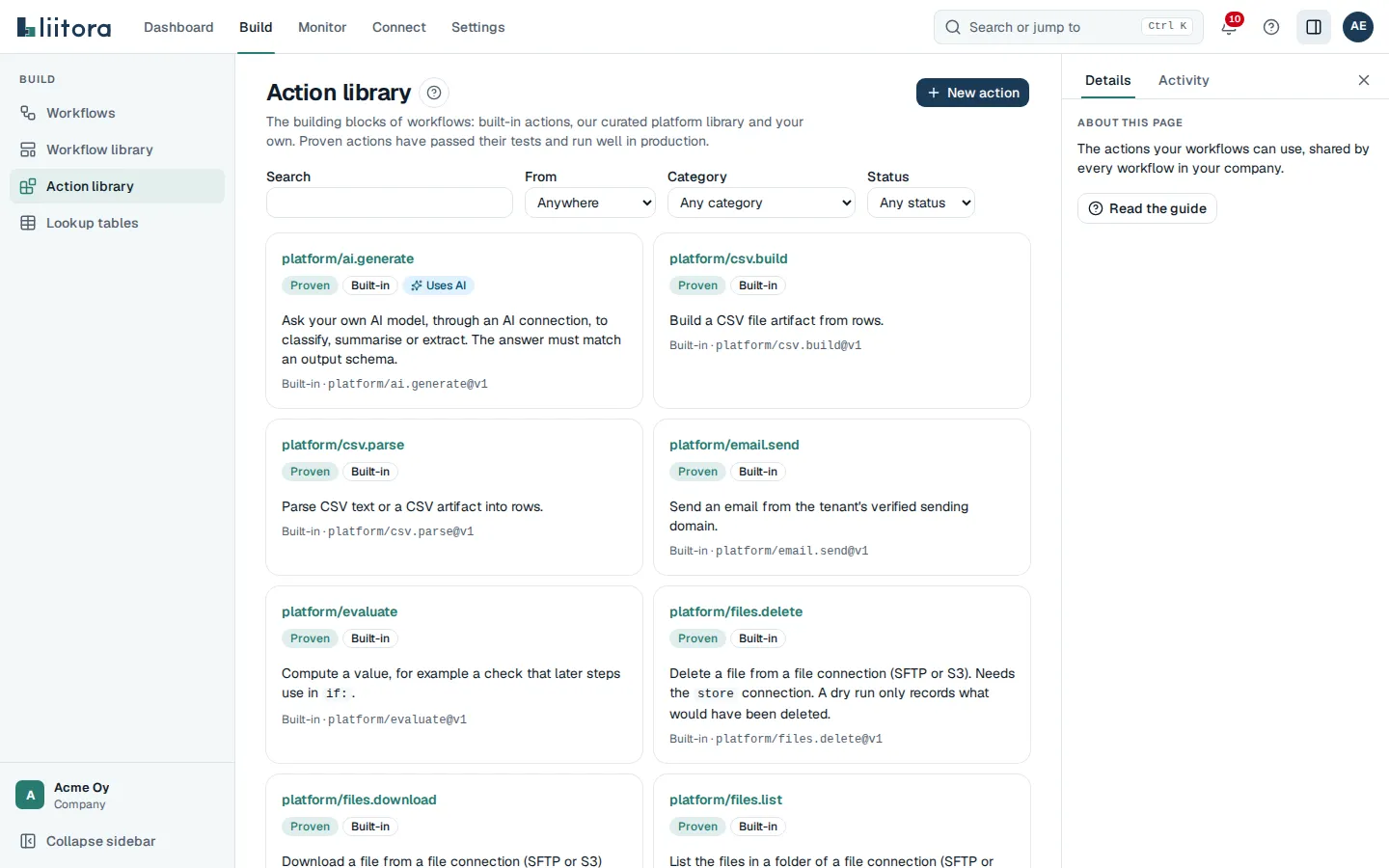
Filters
Section titled “Filters”| Filter | Options |
|---|---|
| Search | Words in the name or description. |
| From | Anywhere, Built-in, Platform library or Ours. |
| Category | Any category or one category. |
| Status | Any status, Draft, Tested, Proven or Deprecated. |
Each card shows the action’s reference, for example platform/csv.build@v1, its badges and its description. The badges mean:
- Draft: saved, tests not green yet.
- Tested: its tests pass.
- Proven: its tests pass and it runs well in production.
- Deprecated: still works, but use a newer version.
One action
Section titled “One action”- Input and Output: tables of the fields with Field, Type, What it is and Required, plus defaults and allowed values.
- Connections it needs: the connection slots the step must bind, or It needs no connection.
- Version: pick a version to see its schemas and Tests.
- Source: shown for your own actions only. For other actions, fork them to see and change a copy.
- A platform-library action says that you can’t change it, and that you can fork it to make your own copy.
- A fork says Forked from with the original’s name, version and reference, and a See the original link.
Your company’s own actions are visible only to your company. Versions never change after they are saved: a change is always a new version. See Action references for version numbers, schemas and connection slots.
Built-in actions are part of Liitora. Use them directly in any workflow; they can’t be forked. The built-in actions reference describes each one.
Fork an action
Section titled “Fork an action”- Open a platform-library action or one of your own.
- Select Fork into our library.
- Enter a Short name, for example
fetch-devices. Workflows then use it as<your company>/fetch-devices. - Enter a Name and select Fork.
You get your own copy of that version to change. It starts at version 1.0.0, so workflows use it with @v1. The original stays as it is.
Write an action
Section titled “Write an action”To write a new action, select New action on the library page. To change one of your company’s own actions, open it and select New version. Saved versions never change, so a change is always a new version. A platform-library action has no New version button: fork it first, then change the fork.
| Field | What to enter |
|---|---|
| Short name | Lowercase letters, numbers, dots, hyphens and underscores, for example fetch-devices. Workflows use it as <your company>/fetch-devices. New actions only. |
| Name, Description and Category | How the action shows in the library. New actions only. |
| Version | Three numbers, for example 1.0.0. A new version starts at the next number, for example 1.2.1 after 1.2.0. A change that breaks workflows using the action needs a new first number. |
| Script | JavaScript or TypeScript that exports one function, export default async function run(ctx, input), and returns the output. |
| Input schema and Output schema | JSON Schemas. The step form in the workflow editor is built from the input schema. |
| Connections it needs | A JSON object of slot names, for example { "erp": { "kind": "generic_http" } }. Each workflow step binds a connection to each slot. |
| Tests | A JSON list of test cases. A version starts as Draft and becomes Tested when its tests pass. |
Select Save the action or Save the version. Liitora checks the script, the schemas and the tests first. Each problem shows under its field with what went wrong and how to fix it. A problem at a line has a button such as Line 2, column 9 that moves the editor to that line. Nothing is saved while there are errors.