

Reset what a sync step remembers
Who this is for: people who look after a workflow that sends only changed records to another system.
Before you start: everyone who can see workflows can see snapshots. To reset one you need the Activate workflows permission (activate_workflow, Admin and Editor, and AI assistants).
A sync.diff step with snapshot: true remembers the records it saw at the last successful run. The next run compares against that snapshot, so it sends only what was created, updated or deleted since. This page shows how to see what a step remembers and how to make it start over.
See what a step remembers
Section titled “See what a step remembers”- Open the workflow from Workflows.
- On the Overview tab, find What sync steps remember. It shows only when a step has saved a snapshot.
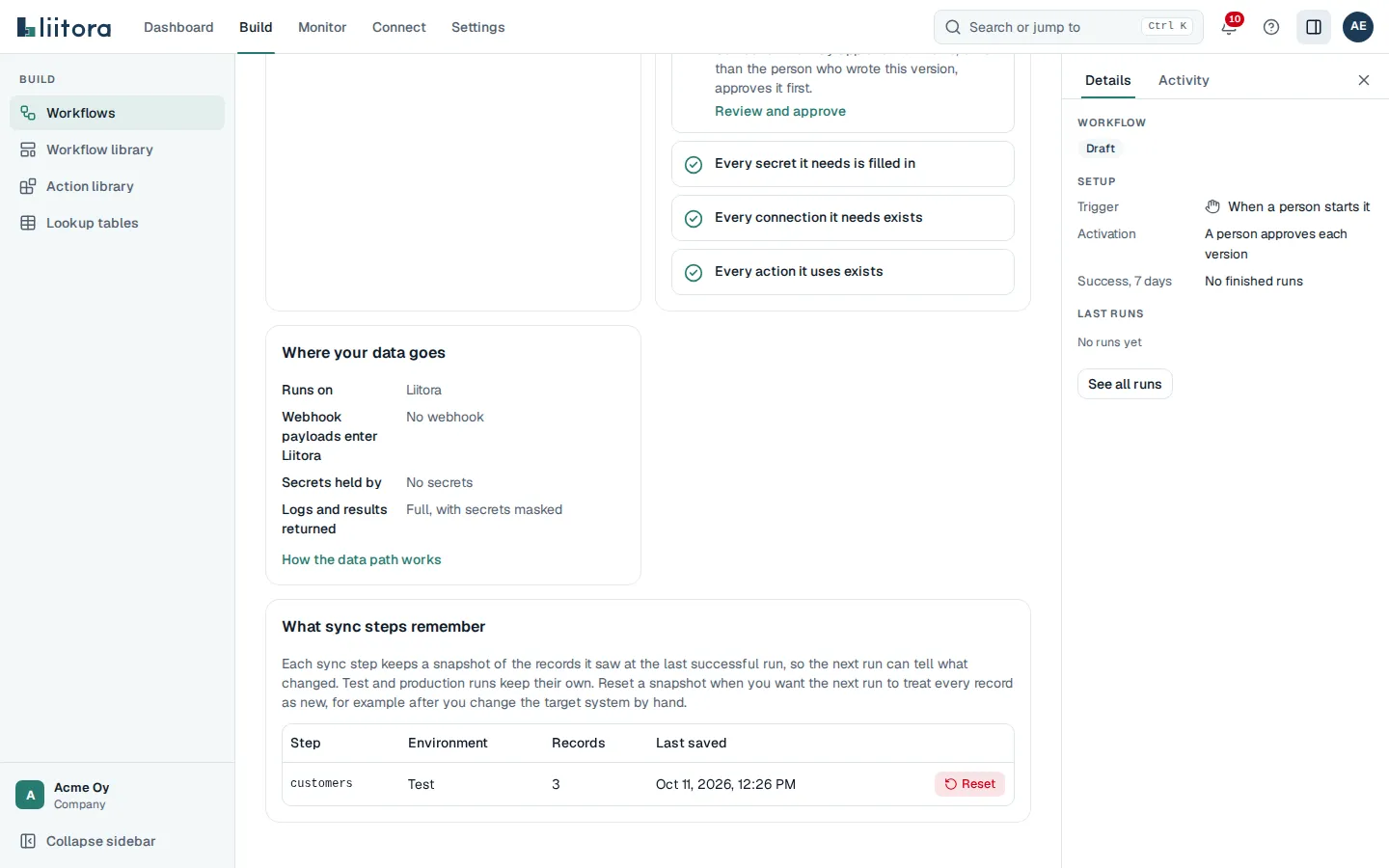
Each row is one step in one environment. Test and production runs keep their own snapshot, so a test run never changes what the next production run compares against. A row shows how many records the step saw and when a successful run last saved it.
Liitora never shows what a snapshot holds: each record’s key and a fingerprint of its fields. Those stay inside Liitora. They are not in the API, the MCP tools or the company export.
Reset a snapshot
Section titled “Reset a snapshot”Reset a snapshot when the next run should treat every record as new. For example, after someone changed or emptied the target system by hand, or after a run sent records to the wrong place.
- On the workflow’s Overview tab, find the step and environment under What sync steps remember.
- Select Reset.
- Read the message and select Reset the snapshot.
The row disappears. The next run of that step in that environment reports every record as created, so it may send them all to the target again. Make sure the target can handle that, for example by updating records that already exist. A run that is already going when you reset still compares against the old snapshot, but it doesn’t save a new one, so the reset holds.
A reset can’t be undone. It is recorded in the audit log with who did it, the step, the environment and the number of records.
Archiving a workflow deletes all of its snapshots.
With the API or your AI assistant
Section titled “With the API or your AI assistant”GET /api/v1/workflows/{id}/sync-snapshotslists the snapshots. It needs the View workflows permission.DELETE /api/v1/workflows/{id}/sync-snapshots/{step_id}/{environment}resets one, whereenvironmentistestorproduction. It answers with what was removed, or 404 when there is nothing to reset.- Your AI assistant can use the
list_sync_snapshotsandreset_sync_snapshottools. They tell it to ask you before it resets one.
Test with a snapshot
Section titled “Test with a snapshot”Workflow tests never read or change these snapshots. To test how a step handles changes, give it a starting snapshot in the test case with given.snapshots.